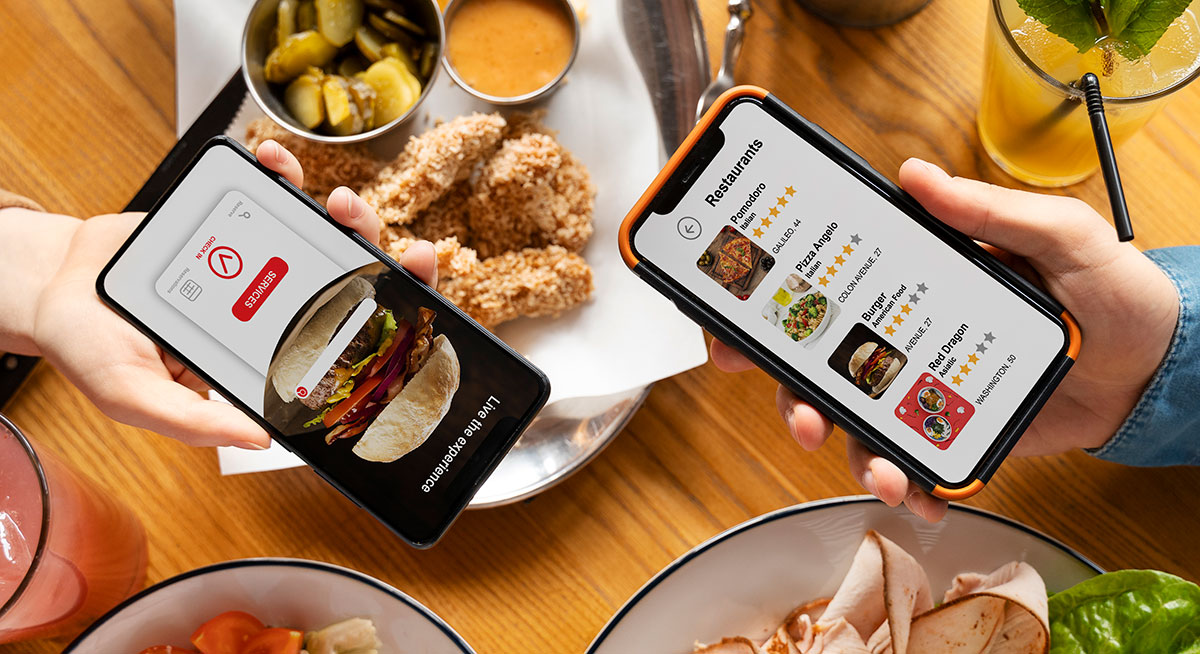
The food delivery industry continues to grow in 2026 as customers expect fast, reliable, and personalized ordering experiences. Businesses ranging from restaurants and cloud kitchens to startup founders are investing in custom food delivery platforms to reduce dependency on third-party marketplaces and increase profitability.
If you’re planning to build a food delivery app like Uber Eats, this guide covers the essential features, technology stack, development process, and estimated costs.
Why Build a Food Delivery App in 2026?
The online food delivery market has evolved beyond simple restaurant ordering. Modern platforms now include:
- AI-powered food recommendations
- Real-time order tracking
- Multi-vendor restaurant management
- Contactless delivery
- Subscription memberships
- Loyalty rewards
- Cloud kitchen integration
Customers now expect a seamless experience from browsing restaurants to receiving their meals.
Key Modules of a Food Delivery Platform
A complete food delivery ecosystem consists of multiple applications working together.
1. Customer App
The customer application should include:
- User registration and login
- Restaurant discovery
- Smart search and filters
- Menu browsing
- Cart management
- Coupon support
- Multiple payment methods
- Live order tracking
- Push notifications
- Ratings and reviews
- Order history
- Favorite restaurants
2. Restaurant Dashboard
Restaurant owners need complete control over their operations.
Features include:
- Restaurant profile management
- Menu management
- Category management
- Order acceptance and rejection
- Inventory management
- Business analytics
- Revenue reports
- Promotional campaigns
- Delivery status monitoring
3. Delivery Partner App
Drivers require tools for efficient deliveries.
Core features:
- Registration & verification
- Online/Offline status
- Order requests
- Route optimization
- GPS navigation
- Earnings dashboard
- Delivery history
- Wallet management
- Proof of delivery
- Customer calling & chat
4. Admin Panel
The admin dashboard manages the entire platform.
Features:
- User management
- Restaurant approval
- Delivery partner management
- Commission settings
- Order monitoring
- Payment management
- Coupon management
- Reports & analytics
- CMS management
- Notification management
Advanced Features for 2026
To stay competitive, consider adding:
AI Recommendations
Recommend dishes based on:
- Previous orders
- Time of day
- Customer preferences
- Trending meals
Smart Delivery Assignment
Automatically assign drivers based on:
- Distance
- Traffic
- Driver ratings
- Delivery capacity
Live GPS Tracking
Allow customers to track:
- Restaurant preparation
- Driver location
- Estimated arrival time
Dynamic Pricing
Adjust delivery fees based on:
- Peak hours
- Weather
- Distance
- Demand
Loyalty Programs
Reward repeat customers with:
- Points
- Cashback
- Membership discounts
- Exclusive offers
Subscription Plans
Offer premium benefits such as:
- Free delivery
- Faster support
- Special restaurant discounts
Recommended Technology Stack
Mobile App
- Flutter
- React Native
Backend
- Node.js
- Laravel
- NestJS
Database
- PostgreSQL
- MySQL
- MongoDB
Cloud Infrastructure
- AWS
- Google Cloud
- Microsoft Azure
Maps & Navigation
- Google Maps API
- Mapbox
Payment Integration
- Stripe
- Razorpay
- PayPal
- Apple Pay
- Google Pay
Notifications
- Firebase Cloud Messaging
- OneSignal
Development Process
Step 1: Market Research
Study your target audience, competitors, pricing strategy, and delivery model.
Step 2: UI/UX Design
Create intuitive interfaces that simplify ordering and improve user engagement.
Step 3: MVP Development
Launch with essential features first:
- Customer app
- Restaurant panel
- Driver app
- Admin dashboard
Step 4: Testing
Perform:
- Functional testing
- Security testing
- Performance testing
- Device compatibility testing
- Payment testing
Step 5: Launch
Deploy on:
- Google Play Store
- Apple App Store
- Web platform
Step 6: Continuous Improvement
Enhance the platform using customer feedback, analytics, and feature updates.
Estimated Development Cost in 2026
The total cost depends on features, platforms, integrations, and customization.
| Project Type | Estimated Timeline |
|---|---|
| MVP Food Delivery App | 8–12 Weeks |
| Medium Feature Platform | 3–5 Months |
| Enterprise Solution | 6–9 Months |
Costs typically increase with AI capabilities, real-time tracking, advanced analytics, and multi-city scalability. A custom-built solution provides greater flexibility and long-term ownership compared to subscription-based platforms.
Tips for Building a Successful Food Delivery Platform
- Focus on user experience.
- Keep checkout fast and simple.
- Optimize app performance.
- Implement secure payment processing.
- Use scalable cloud infrastructure.
- Monitor delivery performance with analytics.
- Introduce customer loyalty programs.
- Continuously improve based on user feedback.
Why Choose AstraXai for Food Delivery App Development?
At AstraXai, we build scalable, secure, and feature-rich food delivery applications tailored to your business goals. Whether you’re launching a startup, expanding a restaurant chain, or creating a multi-vendor marketplace, our team delivers custom solutions with modern technologies, intuitive user experiences, and future-ready architecture.
Our services include:
- Custom Food Delivery App Development
- Multi-Vendor Marketplace Solutions
- Restaurant Management Systems
- Delivery Partner Applications
- AI-Powered Features
- Real-Time Tracking Integration
- Secure Payment Gateway Integration
- Ongoing Maintenance & Support